Home
The home page is the landing page of the application, used to view the most used data.
Purpose
This page is used to give the permitted user an understanding of the current state of the application, it enables the user to see the amount of entitities in the application, what actions that needs to be adressed and the status of the printers.
Who can access this page
This page is accessible by any user with the right permissions. But will primarily be used by users with system owner rights (admins).
Related nodes
- Primary node: Persons, Organization Units, Smart Cards and Printers
- Related nodes: Requests, Smart Cards with different states
The nodes are not visible with full data, but will be shown either by their count or by count linked to their state. e.g. pending picture change requests will show the count of picture change requests with pending state, not how many are resolved.
Page layout
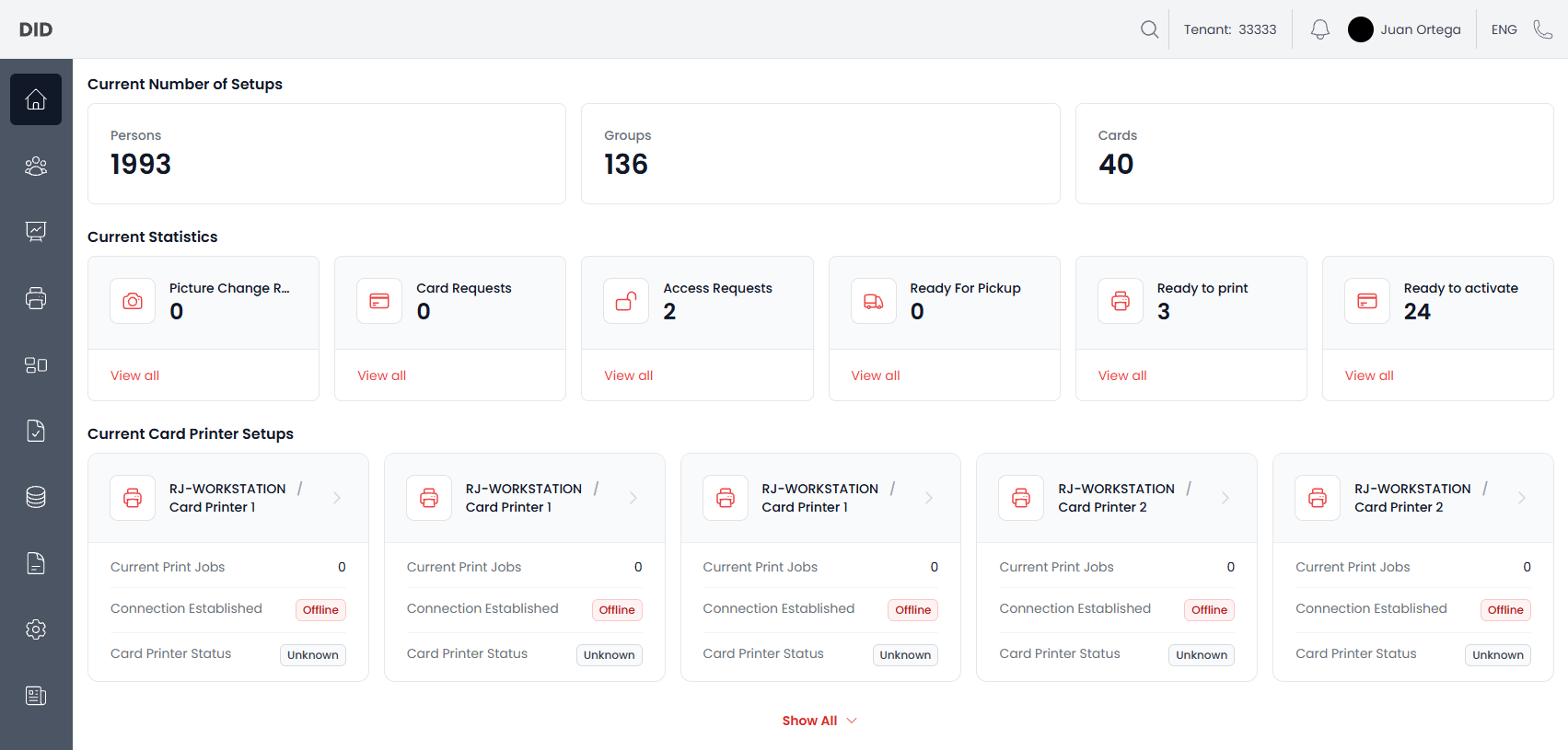
Here you can see the Home page and the layout.
Current Number of Setups
From the top you see the current count of Persons, Organization Units and Smart Cards in the system.
Current Statistics
Next you see the Current Statistics that show pending requests, cards that are marked as ready for pick up, ready to print and ready to activate. They are all counted based on the state of the entity.
You can press on view all, which will navigate to the place where you can update the state, e.g. approving or declining requests.
Currect Card Printer Setups
Last you can see all the printers connected to the system. The cards show you their current print jobs, connection and status.
You are able to press on each of the cards to go to the specific printer, which enables you to do printer specific workflows.
Common usage notes
- If you can not see everything on the Home page, you might not have the correct permissions.