Integrations and Data Import
This page is used to manage integrations and import data into the system.
It allows administrators to upload data files for migration, manage client integrations, and control permissions related to external system access.
Purpose
The purpose of this page is to provide administrators with tools to integrate external systems and migrate data into the platform.
This page is typically used when: - Importing persons or related data from external systems - Setting up or managing client integrations - Controlling permissions for external clients - Preparing initial system data during onboarding or migration
Data imports and integrations help ensure that external systems can interact with the platform in a controlled and auditable way.
Who can access this page
Access to this page is restricted and controlled by permissions.
Typically, only users with: - System configuration permissions - Integration or client management permissions
will be able to see and use this page.
If the page or certain sections are not visible, you do not have the required permissions.
Related nodes
- Primary nodes: Client Credentials
- Related nodes: Person, Organization Unit, Permission
Imported data usually results in the creation or update of other nodes, such as persons or references, but import jobs themselves are not treated as nodes.
Page layout
The page is divided into multiple sections, accessible through tabs at the top of the page.
Landing Page
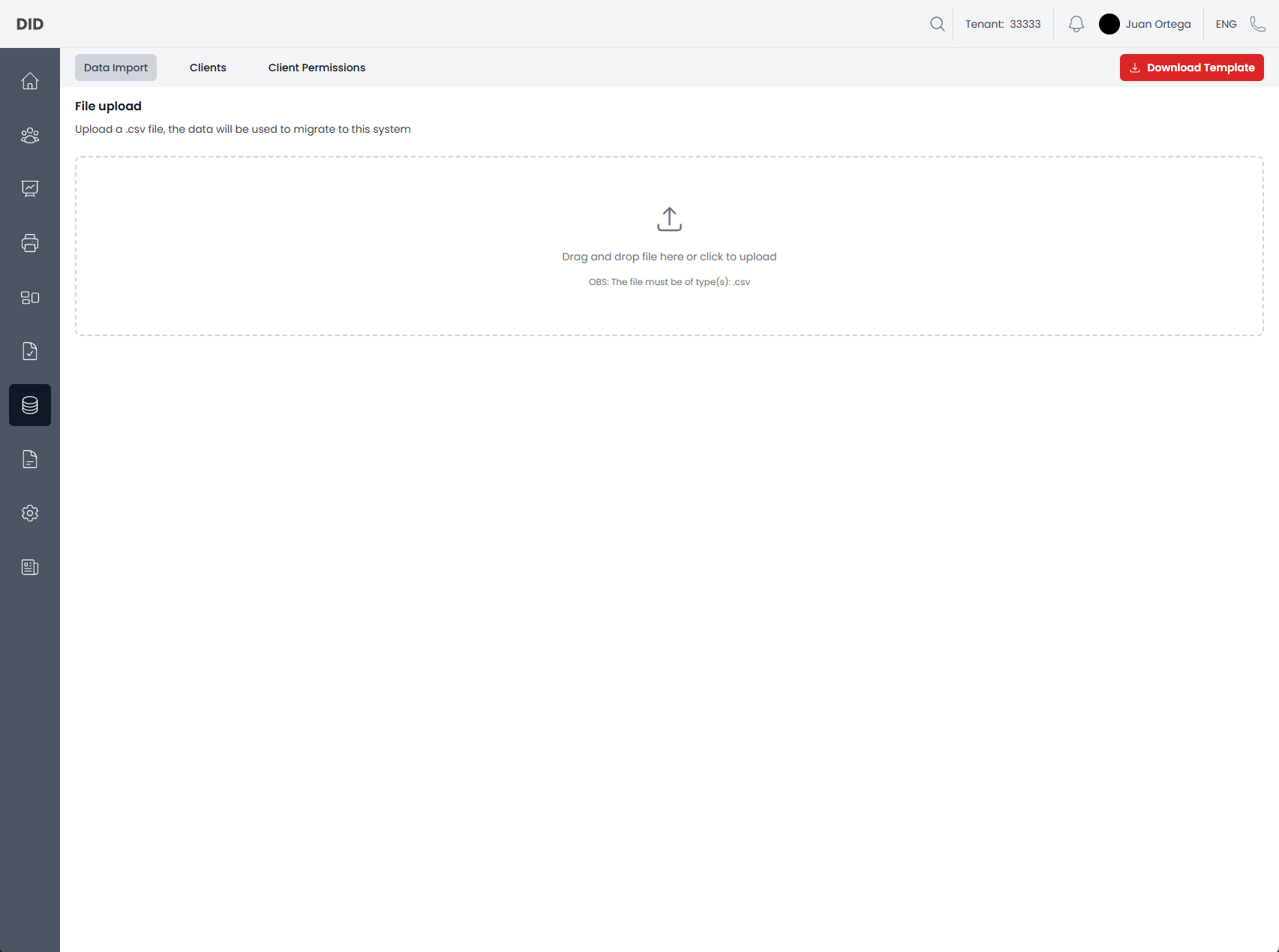
When navigating to Integrations and Data Import, the Data Import tab is selected by default.
Data Import
The Data Import section is used to upload files for migrating data into the system.
File upload
This section allows you to upload a .csv file that contains data to be imported.
You can: - Drag and drop a file into the upload area - Click the upload area to select a file manually
Only files of type .csv are supported.
A template file can be downloaded to ensure the correct format is used.
Workflows
- Download data import template
- Upload a CSV file for import
Uploaded data is validated before being processed. Errors or validation issues will be reported if the file does not meet the required format.
Clients
The Clients section displays all registered client integrations.
Clients typically represent external systems or applications that interact with the platform using credentials.
This section allows administrators to: - View existing clients - Inspect client details - Manage client lifecycle
Workflows
- Create a new client
- Edit an existing client
- Remove a client (two-step confirmation)
Client Permissions
The Client Permissions section controls what actions external clients are allowed to perform.
Permissions define: - Which APIs or operations a client can access - Which data a client is allowed to read or modify
This section helps ensure integrations follow the principle of least privilege.
Workflows
- Grant permissions to a client
- Revoke permissions from a client
Common usage notes
- Always use the provided template when importing data to avoid validation errors.
- Imported data may create or update multiple entities depending on the file contents.
- Client credentials should be treated as sensitive information.
- Changes to client permissions take effect immediately.
- Some actions may be hidden or disabled depending on your permissions.