News (Changelog)
This page provides an overview of changes, improvements, and fixes introduced in the application over time.
The News page acts as a changelog and is used to communicate updates to users and administrators in a transparent and chronological way.
Purpose
The purpose of this page is to inform users about what has changed between releases.
This page is typically used to: - Communicate newly added features - Highlight changes to existing functionality - Document bug fixes - Provide visibility into ongoing improvements - Help administrators understand system behavior changes after updates
The changelog helps set expectations and reduces confusion when new functionality appears or behavior changes.
Who can access this page
The News / Changelog page is generally visible to all users.
No special permissions are required to view the changelog, as it contains informational content only and does not expose sensitive configuration or data.
Related nodes
- Primary nodes: None
- Related nodes: All (informational)
The changelog does not directly interact with nodes.
Instead, it describes changes that may affect how different nodes and workflows behave.
Page layout
The page is presented as a chronological list of releases.
Each release entry includes: - A version number - A release date - A categorized list of changes
Landing Page
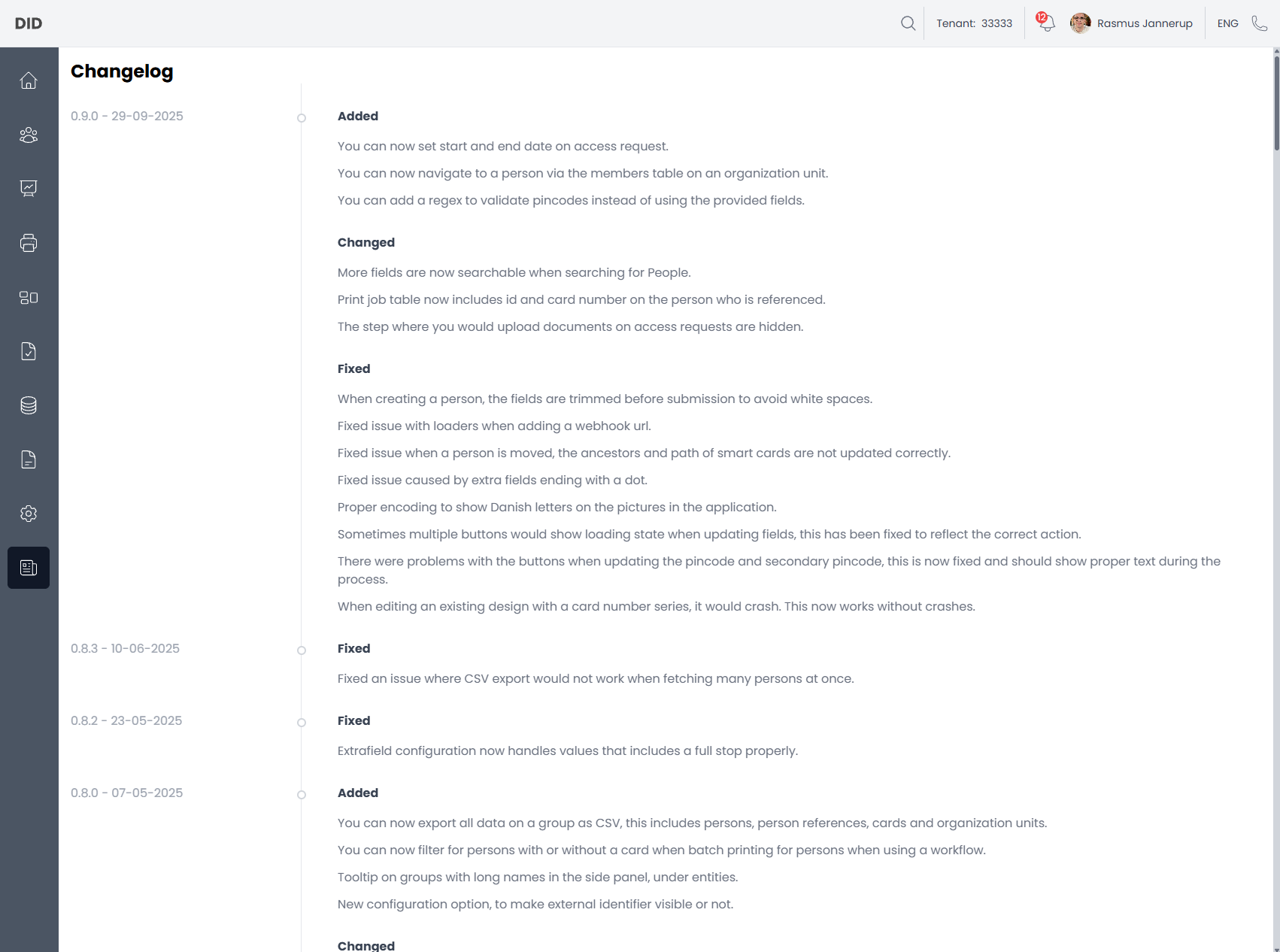
When navigating to the News page, the most recent release is shown at the top.
Release entries
Each release is grouped by version and date and typically contains one or more of the following sections:
Added
This section highlights new features or capabilities introduced in the release.
Examples: - New configuration options - New workflows - New filters or UI functionality
Changed
This section describes modifications to existing behavior.
Examples: - Improved search behavior - UI or UX refinements - Adjustments to existing workflows
Fixed
This section lists bugs or issues that have been resolved.
Examples: - Stability improvements - Data handling fixes - UI inconsistencies - Error handling corrections
Reading the changelog
- Releases are ordered chronologically, with the newest version at the top.
- Not all changes require user action.
- Some changes may affect existing workflows or permissions.
- If behavior changes unexpectedly after an update, the changelog is the first place to look.
Common usage notes
- The changelog is informational only and cannot be edited by users.
- Feature availability may depend on permissions, even if listed as added.
- Some changes may be technical and not immediately visible in the UI.
- Administrators should review the changelog after updates to understand potential impacts.